FAQ
Common install and day-to-day issues. If you’re still stuck, contact support through the channel where you obtained DevPeek.
Which desktop platforms are supported?
Desktop builds include Windows and macOS for Apple Silicon (arm64) and Intel (x64). Linux desktop builds are not available yet—check the homepage download section.
Why does Debug stay on “Waiting for device connection”?
Common causes: the device is not using DevPeek as its proxy, the phone has not download and trust the DevPeek root CA (HTTPS cannot be decrypted or injected), the host is outside the SSL allowlist, or the current page is not injectable one HTML document response. Confirm decrypted HTML responses for that client in Capture, then pick its client tab in Debug and refresh the target page on the phone.
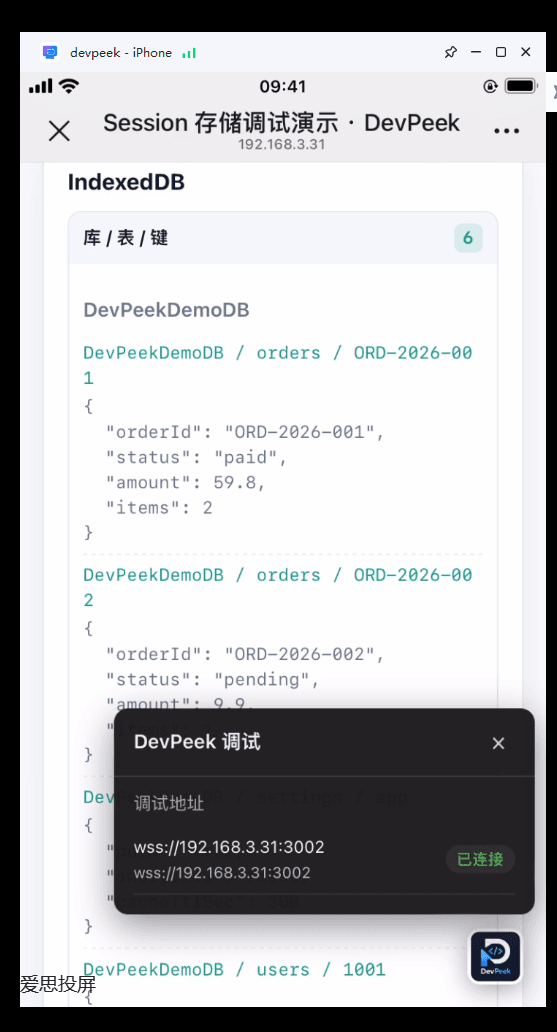
When the connection fails, the in-page DevPeek debug popup lists candidate WebSocket addresses and status—handy on multi-NIC PCs to verify the correct IP.
Why are scripts/styles missing in preview?
Preview honors the site’s CSP; blocked resources fail in the mirror by design—compare on a real device if unsure.
SSL is `*` but I still see tunnels
Confirm the client points at DevPeek and that SSL proxy enabled is on. Hosts outside SSL proxy these hosts, hosts on Skip SSL proxy (tunnel), or traffic that bypasses the proxy (e.g. some HTTP/3 paths) may stay encrypted. A tunnel for an excluded host is expected.
Android is connected, so why can’t one app capture HTTPS?
Pairing and VPN only route traffic. HTTPS also requires the user CA, correct SSL include/exclude rules, and an app that trusts user CAs. Android 7+ production apps, WeChat, and certificate-pinned clients may reject interception; use an authorized debug build or test image.
Why is there a WebSocket handshake but no frames, or no WS Flow match?
For WSS, first check CA trust and SSL scope. Select a newly established Open connection. WS Flow also requires an enabled rule and a `# ws` that matches the full URL; reconnect after changing a Flow.
Mock not working?
- Is at least one rule enabled in the right-side Mock panel? Is the expected group and tamper version active?
- Manual Mock: check request / response stages; auto Mock: fill in tamper content.
- Is recording on? Is the client tab in list pause? For encrypted params, configure param transform first.
Auto-update fails
Check network access to the vendor’s update endpoint; some internal/offline builds ship without auto-update. Disk permissions, free space, or security tools can also block downloads.
Extension cannot reach desktop DevPeek
Ensure DevPeek is running and firewalls allow loopback to the collaboration port. If you changed the collaboration HTTP port, set the same value in the extension popup. Escalate via your vendor channel if it persists.
Compliance
DevPeek can decrypt, rewrite, and forward traffic on your behalf. Use it only on systems you are allowed to test
Read more
Back to docs home or download home.